
Hormann Garage Door Operator Troubleshooting Guide
- Free Site Surveys & Home Visits
- No Obligation Quotations
- Appointments To Suit You
- Various Troubleshooting Guides
Garage Door Repairs Book a Survey


- Press and hold down the ‘PRG’ button until the menu displays ’00’
- Press and let go of the up arrow to move up through the menu until you reach menu ’40’
- Now press and release the PRG button – ’40’ will start to flash then flash quicker with a dot in the bottom right ’40.’
- You can now let go of the PRG button
- Use the down arrow to move back down to menu ’00’
- Now Press the PRG button.
The display should now show a horizontal line to indicate the position of the door and none of your hand transmitters should now activate the operator.

- Press and then release the program button (Little grey button with the letter p) . The Red light will start to flash slowly.
- With the key fob next to the head unit, Press and hold a button on the key fob (the one which you want to operate the door) until the LED flashes RED and BLUE.
- The red light on the ProMatic 3 will now start to flash quickly. Keep the button held down on the key fob for 5 seconds and then let go.
- The red ProMatic light will now flash 7 times then the main courtesy light will light up to indicate the process is finished. DO NOT PRESS ANY MORE BUTTONS UNTIL THE COURTESY LIGHT HAS COME ON. The process is now finished, and the key fob should now activate the operator.
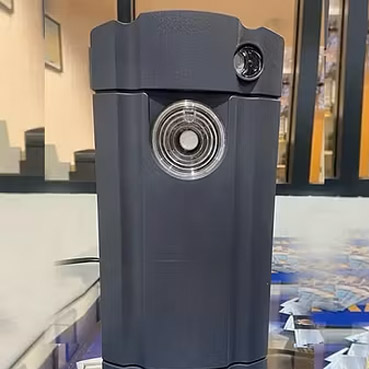
- Press and release the program button. The Red light will then start to flash slowly.
- Holding the hand transmitter next to the head unit, Press and hold the button that you want to operate the door on the hand transmitter do this until the LED flashes RED and BLUE.
- The red light on the ProMatic should now start to flash quickly. Keep the button held down on the hand transmitter for at least 5 seconds and release.
- The red ProMatic light should now flash 7 times then the main courtesy light will illuminate to indicate the process is complete. DO NOT PRESS ANY MORE BUTTONS UNTIL THE COURTESY LIGHT HAS COME ON.
The process is now complete and the hand transmitter should now activate the operator.

- Press and hold down the ‘PRG’ button until ’00’ is displayed.
- Press and let go of the ‘UP’ arrow twice until ’11’ is displayed.
- Press and hold down the ‘PRG’ button until ’11’ starts flashing.
- With the hand transmitter held next to the head unit. Press and hold down the button on the hand transmitter (the one you would like to operate the doorwith!) until the LED on the hand transmitter flashes blue and red. Keep the button held down until ’11.’ flashes rapidly. Then let go of the button on the hand transmitter.
- Press the ‘PRG’ button once so ’11’ stops flashing.
- Press and release the ‘DOWN’ arrow button twice so the display shows ’00’.
- Press ‘PRG’ button to exit the menu.
The display should now show a horizontal line to indicate the position of the door and your hand transmitter should now activate the operator.
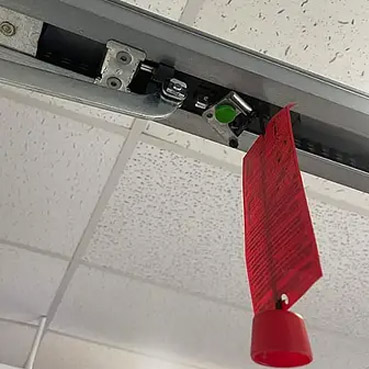
To disconnect the door from the operator (operate the door manually)
- Pull on the cord that is attached to the cage that travels along the boom arm. It should then click out of the belt and allow the door to be opened and closed manually.
To connect the door to the operator (operate the door with the automatic operator)
- Press the green button on the cage that travels along the boom arm. It will make a clicking sound and set the cage in automatic mode. The cage then needs to pick up the contact point on the belt.
- Leave the door to reset in the half-open position.
- Using either the buttons on the unit itself or using the hand transmitter, activate the operator as you would to open or close the door normally.
- When the contact point on the belt meets the cage it will click back in. You may have to activate the operator for a second time if the contact point on the belt travels in the wrong direction to meet the cage.
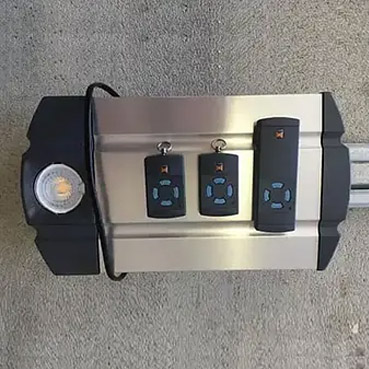
Please make sure the door is set up to operate automatically before resetting
- Turn off the main power supply to the operator at the plug socket.
- Then turn the power back on whilst holding down the red LED button on the underside of the operator. Wait for the red LED button to flash before you release the button.
- Press and then release the red LED button. The courtesy light should then flash and the door should now move into the open position and then continue to move into the closed and open position a number of times to automatically set the doors open and closed limits.
- Once the door has come to a stop the limits should be fully reset.
Please note: This procedure does not erase any devices (hand transmitters, keypads etc) that are coded into the unit. These should still operate the door.
- Remove the battery for 10 seconds.
- Press and hold down one of the buttons on the hand transmitter and then re-insert the battery (and the battery cover for the HS1 BS / HS4 BS/ HS5 BS).
- The LED will then start a series of flashes – Blue flashing – slow for 4 seconds, fast for 2 seconds, or solid for a short time.
- Release the button as soon as the series of blue flashes has finished. Do not continue to hold the button down through the red series of flashes as this will reset the transmitter into 40 bit mode.
The hand transmitter is now in 128 bit mode all the code for each button are reset. The LED will light up BLUE when the buttons are pressed. Reset a BiSecur hand transmitter – Erasing and resetting all the codes to 128bit mode and replacing batteries The Hormann HS1 BS, HS4 BS and HS5 BS have a removable battery cover that is unlocked and locked by turning. The HSE2 BS has a removable black cover that needs to be prised off with the use of a small screwdriver or tool.

Please Make sure the emergency release is not engaged and the door is set to work automatically.
- Disconnect or switch off the mains plug, and also the plug for the emergency battery if one is connected.
- Press and hold the ‘PRG’ button and switch the mains power back on. The display will show ‘8.8.’ then ‘C’ then ‘U’ you can now release the PRG button.
- Press the ‘up’ arrow to select your garage door type – ‘1’ for sectional garage doors or ‘2’ for up and over garage doors.
- Press and let go of the ‘PRG’ button and the display will show ‘L’ to indicate it is now in learn mode.
- Press and release the ‘up’ arrow.
- The door will now travel up and down automatically several times.
- The door will finish in the open position and the display will eventually show a flashing ’11’
- Press and release the ‘PRG’ button, the ’11’ will now stop flashing.
- Press and release the ‘down’ arrow, the display should show ’00’
- Press the PRG button and the display will show a line to indicate the door is in the open position.
Please note: This procedure does not erase any devices (hand transmitters, keypads etc) that are coded in to the unit. These should still operate the door.

- Disconnect the unit from the mains power supply
- Press and hold the ‘T’ button whilst plugging the unit back into the mains.
- The courtesy light will flash once and the red light around the ‘T’ button will start to flash, you can now release the button.
- Press and then release the ‘T’ button. The courtesy light will flash and the door will automatically open and close a number of times to set the open and close limits. It will finish in the open position and the courtesy light will stop flashing and stay on.
The door is now completely reset.
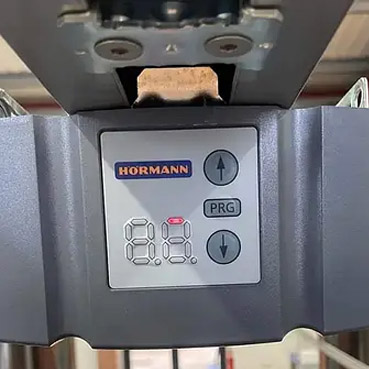
Please note: Make sure the emergency release is not engaged and the door is set to work automatically.
- Turn on the mains power supply to the unit while holding down the ‘PRG’ button. Keep the ‘PRG’ button pressed until the screen shows ‘C’.
- Let go of the the ‘PRG’ button and the display briefly shows ‘J’ then a slowly flashing ‘0.’. If the operator is set to ‘sectional type door’ if this is the type of door the operator is connected to carry on with step 6.
- Use the up and down arrows to change the ‘0.’ to a ‘1’ – this will select the ‘up and over’ mode.
- Hold down the ‘PRG’ button, the display will change to a solid ‘J’ then to a flashing ‘1’ – you can now let go of the ‘PRG’ button.
- Hold down the ‘PRG’ button, the display should change from a flashing ‘1’ to a flashing ‘1.’ (note the ‘.’ in the bottom right).
- Press and let go of the ‘PRG’ button. The display will show ‘1’ briefly then shows a slowly flashing ‘L’ to indicate that it is in learn mode.
- Press the ‘UP’ arrow. The door should fully open and come to a stop.
- Press the ‘DOWN’ arrow button. The door should fully close, then will automatically move back to the fully open position.
- Press the ‘DOWN’ arrow button. The door should move to the closed position and then back up to the open position automatically. It will then automatically move to the closed and open position one more time.
The display should now show a single red line at the top of the display to indicate it is in the open position. The Operator is now fully reset. Transferring Codes From a Hormann 868.3MHz Series 2 HSE2 to a Bisecur Transmitter Please note: To transfer the code from one hand transmitter to another, the signal strength needs to be very strong. This means the units need to be very close together and have a good battery power.
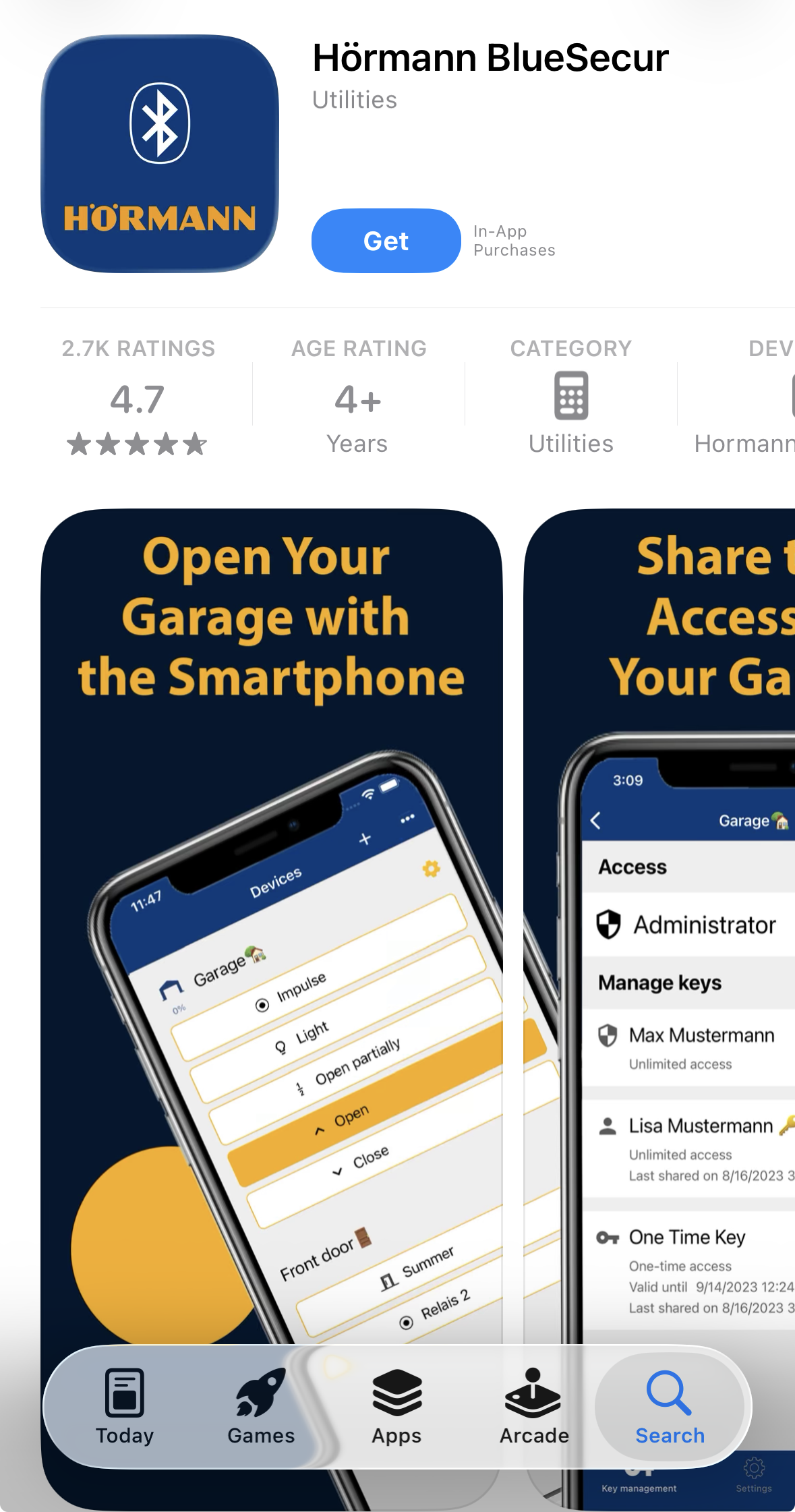
Downloading and Connecting the App
- Search for ‘BlueSecur’ in the App Store or Google Play Store and download the app
- When prompted, allow permissions for Camera, Bluetooth and Location
- On the operator, activate the Bluetooth symbol; it will flash red slowly whilst searching for a connection
- Open the app and tap the + symbol next to ‘Devices’ at the top of the screen
- Your camera will open, scan the QR code found on the motor head or the blue card supplied with your unit
- Syncing can take up to 20 seconds. Once complete, name your device, and it will appear in your Devices list
Sharing Access with Other Users
- The unit comes with one electronic key. To add more, tap the three-dot menu and select ‘Set of Keys’
- Tap the yellow cog next to your device name, then the + symbol to create a user key or one-time use key
- Name the key, set its validity period, then share via email or SMS, we recommend email for reliability
Resetting the App and Operator
- Tap the yellow cog next to the device name, select the three dots in the top right, choose ‘Delete’ and confirm
- Any purchased keys will return to your key bank
- On the operator, hold ‘PRG’ until ’00’ appears, then navigate up to ’19’ using the up arrow
- Press ‘PRG’, the display will show a slowly flashing ’00’. Use the up arrow to reach ’02’
- Hold ‘PRG’ until ’19’ reappears, navigate back down to ’00’ and press ‘PRG’ to exit
- Re-enable Bluetooth on the operator, and you are ready to begin coding the connection again
View the Supramatic Bluetooth App guide here.

- Press and hold down the button on your existing hand transmitter (which has the code you want to transfer). The LED will light up constantly. (Please be aware this will activate your device / garage door and make it go up and down)
- Now press and hold down the button on the hand transmitter on which you want to receive the code. The LED will flash red slowly for a few seconds then flash quickly for a second, then stop with no illumination.
The code has now been transferred. You can continue this process to transfer the code to different buttons should you require this.
Please note: The code can only be transferred if the BiSecur hand transmitter has had a 40 bit code stored. The LED on the BiSecur hand transmitter will light up RED if the button has a 40 bit code programmed in.
- Press and hold down the button on your existing hand transmitter (Which has the code you want to transfer). The LED will illuminate constantly. (Please be aware this will activate your device / garage door and it may go up and down).
- Press and hold down the button on the hand transmitter which is to receive the code. The LED will flash red slowly for a few seconds then flash quickly for a few seconds, then stop with no illumination.
The code has now been transferred you can continue this process to transfer the code to different button. Transferring the code from an existing BiSecur transmitter to a new BiSecur transmitter Please note: To transfer the code from one hand transmitter to another, the signal strength will need to be very strong. This means the units need to be held very close together and have a good battery power.
- Press and hold down the button on your existing hand transmitter (which has the code that you want to transfer over). The LED will light up constantly and then start to flash red and blue, keep the button pressed down until the code has been successfully transferred (Please be aware this will activate your device / garage door to go up or down ).
- Once your first hand transmitter has started to flash red and blue, press and hold down the button on the hand transmitter which you want to receive the code. The LED will flash blue slowly for a few seconds then flash quickly for a few seconds, and then stop with no illumination. The code has now been transferred. You can continue this process to transfer the code to different buttons.

- Press and let go of the program ‘P’ button once. The light will then start to flash RED slowly (please do note that if you press the program button twice the red light will flash in a pattern of two flashes and this will then code the hand transmitter into the light function, not the full open mode)
- Hold the hand transmitter near the head unit, press and hold the button that you operate the door with on the hand transmitter until the light flashes RED and BLUE
- The red light on the Motor will now start to flash very quickly. Keep the button held down on the hand transmitter for at least 5 or more seconds and then release it. The red light on the motor should then go back to flashing slowly.
- To finish the procedure, you should wait until the red light on the motor stops flashing and shows a solid RED light
- Once this happens the process is complete and the hand transmitter should now work the operator.

Press and hold down the ‘PRG’ button until ‘00’ is displayed
- Go through to Menu ‘11’ using the up and down arrows
- Press and hold down the ‘PRG’ button until ‘11’ starts flashing
- Hold the hand transmitter next to the motor. Press and hold down the button that you usually use to open and close the door, until the LED light on the hand transmitter flashes BLUE and then RED.
- Press and hold down the ‘PRG’ button once so that ‘11’ stops flashing on the motor.
- With the up and down arrows go back to menu ‘00’.
- Finally, press the ‘PRG’ button to exit the menu
- The display on the motor should now show a horizontal line which is to indicate the position of the door and your hand transmitter should now activate the motor.


